Why was my webhook disabled?
Please Note, Webhook errors typically originate from the receiving endpoint. If you encounter delivery issues or error responses, we recommend working with your development team to review server logs, endpoint configuration, and authentication settings. Due to the custom nature of webhook implementations, PheedLoop Support may have limited visibility into third-party systems and may not be able to troubleshoot endpoint-specific issues in depth.
If you receive a Webhook Failure Notification, it means a webhook configured in Advanced > Webhooks has failed repeatedly.
If failures continue for 30 minutes, PheedLoop automatically disables the webhook. You will then receive a Webhook Disabled Notification confirming that the webhook has been turned off.
Why do we disable webhooks?
Defective webhooks are automatically disabled for the following reasons:
-
Maintain platform stability by preventing repeated failed requests
- Protect your integration when errors indicate a configuration or security issue
- Avoid repeated failure emails when a webhook cannot be delivered successfully
Common Reasons Webhooks Fail
Most webhook failures are caused by one of the following:
- The endpoint URL is incorrect or temporarily unavailable
- The SSL certificate on the endpoint has expired
- Authentication credentials are missing or invalid
- The endpoint takes longer than 10 seconds to respond
- The endpoint returns a non-2xx status code (including redirects)
I want to re-enable a disabled webhook
- Open the Event Dashboard and navigate to Advanced > Webhooks > Webhooks
-
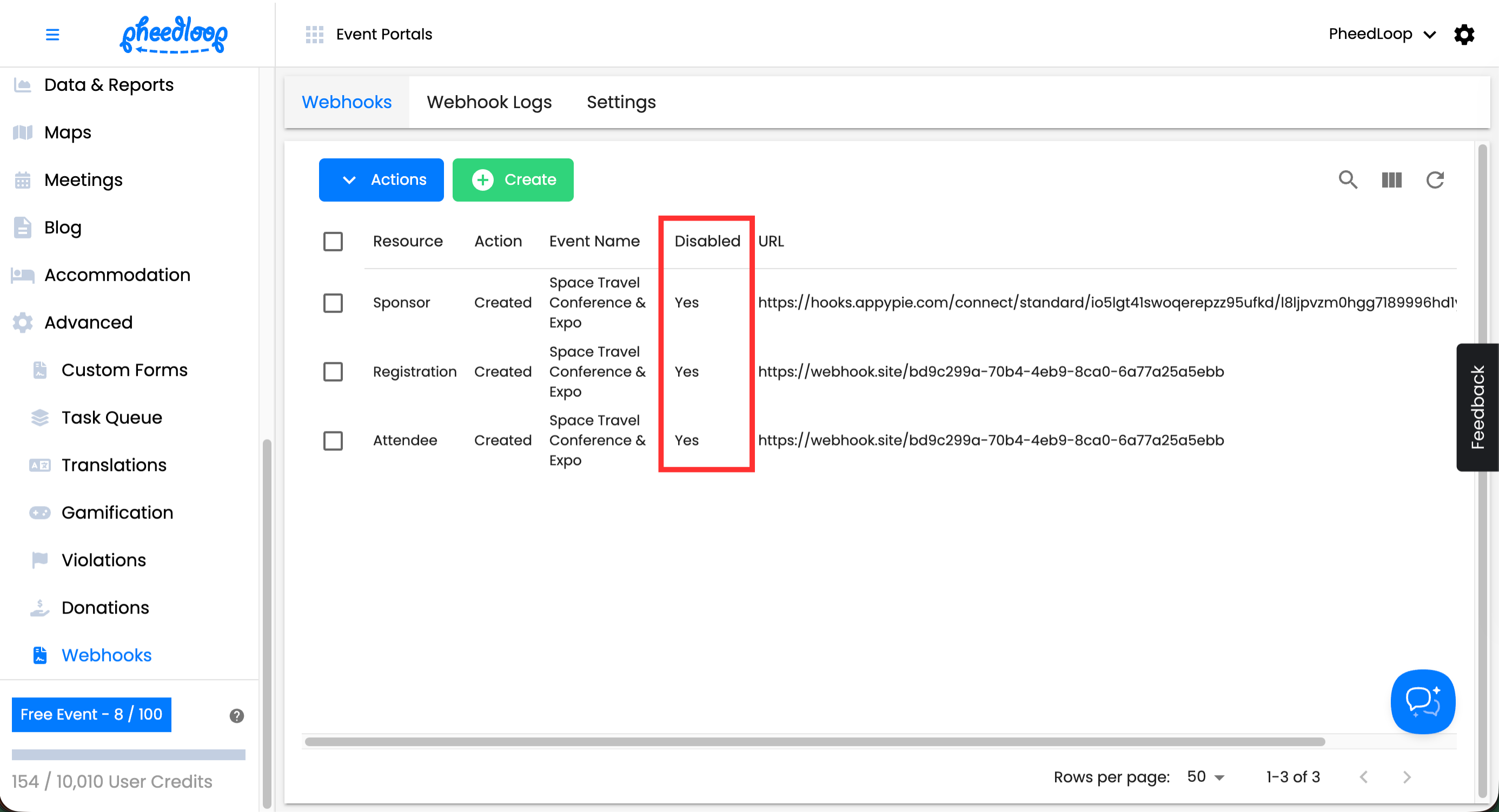
Check whether the webhook is disabled under the Disabled column
-
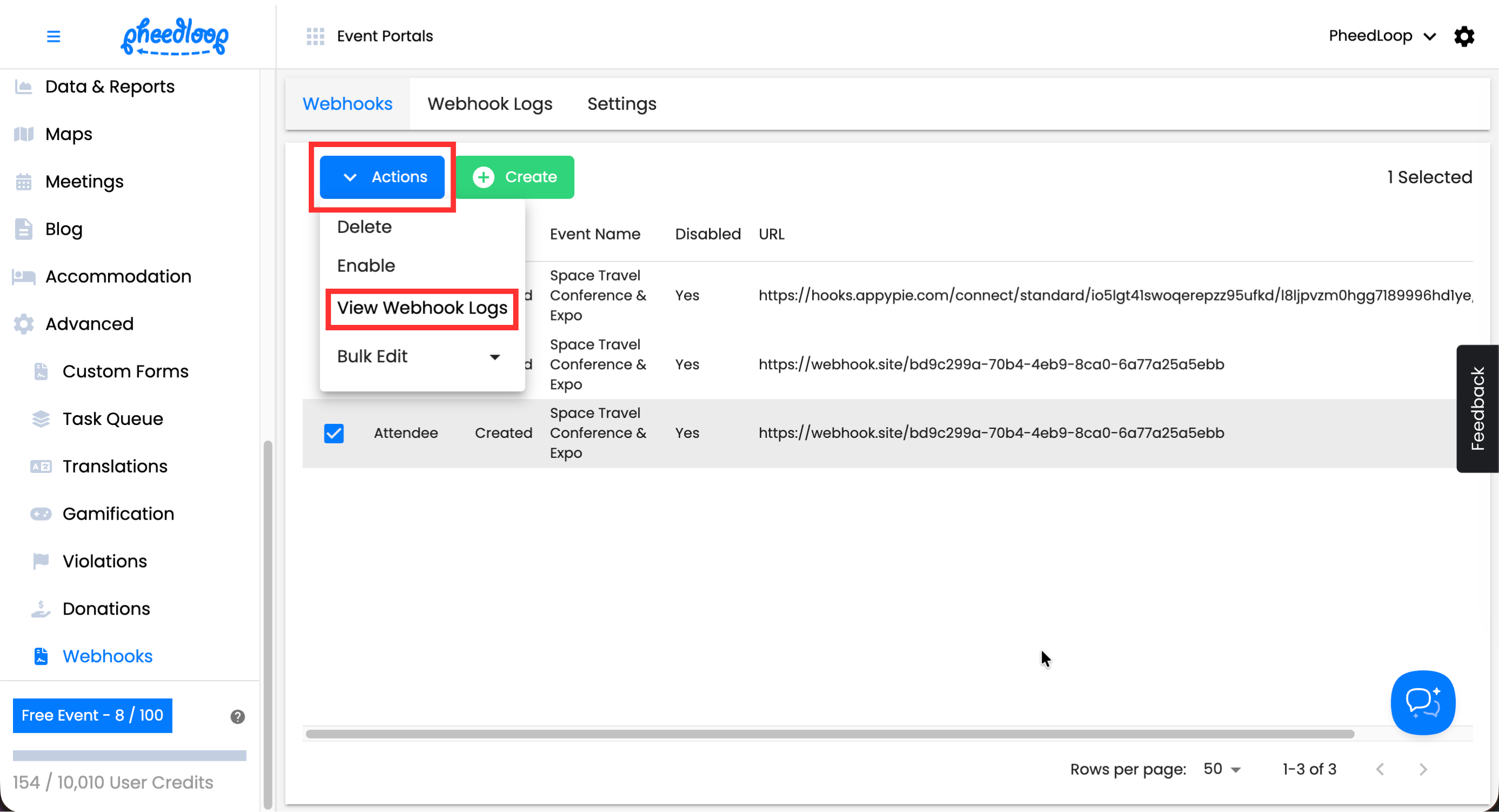
Select the webhook and then select Actions > View Webhook Logs to verify the issue
- Once the issue has been verified, fix the issue on your server
-
Re-enable the webhook from the dashboard by navigating to Advanced > Webhooks > Webhooks and selecting Actions > Enable
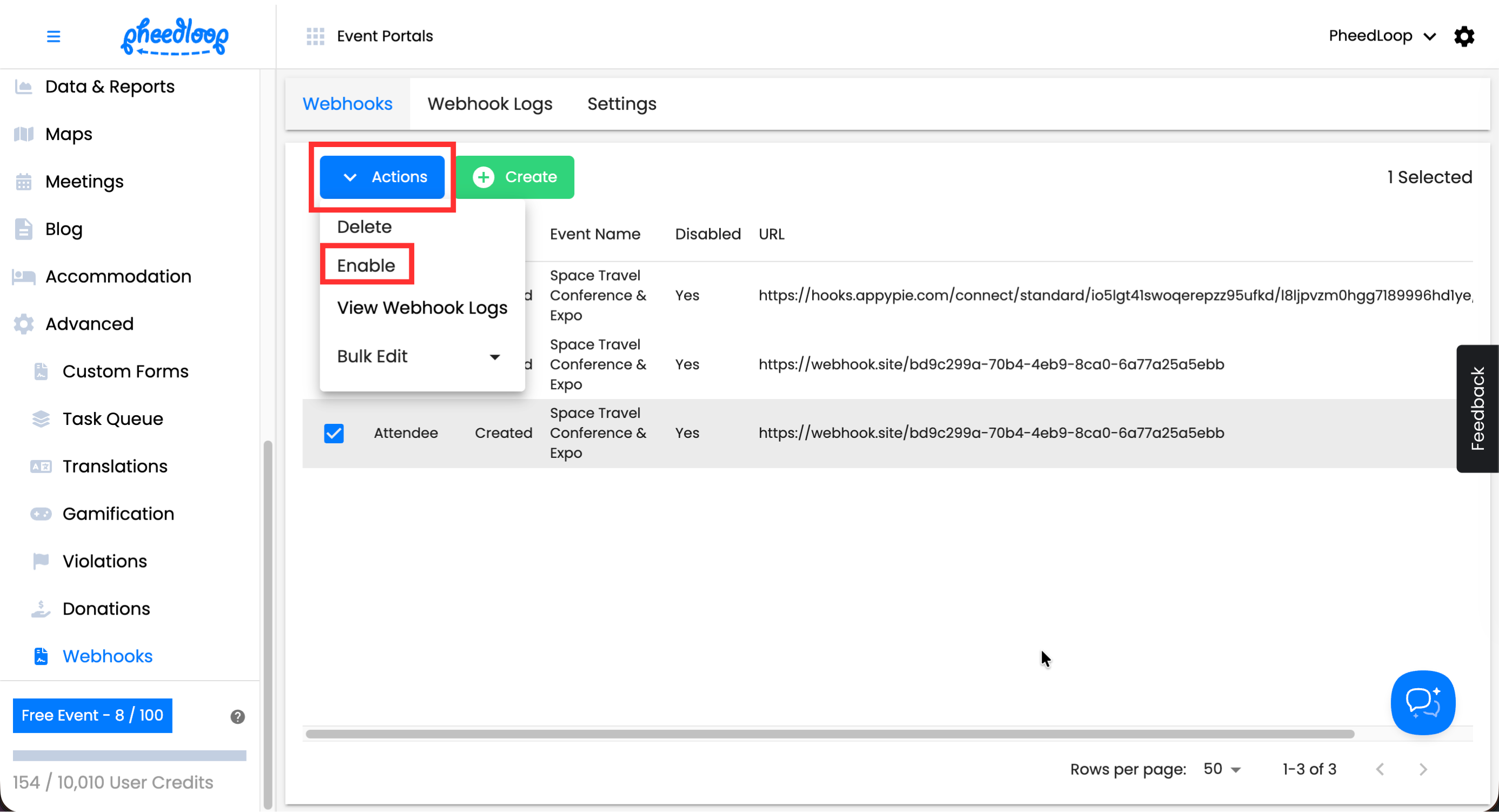
Once re-enabled, failure counters reset automatically. If the issue is not resolved, the webhook may be disabled again after reaching the same failure threshold.
How do I know if my endpoint received the webhook?
To verify whether your endpoint received a webhook:
- From the Event Dashboard, navigate to Advanced > Webhooks > Webhook Log
-
Review the columns to find your webhook, the Response Status column indicates if the webhook suceeded or failed
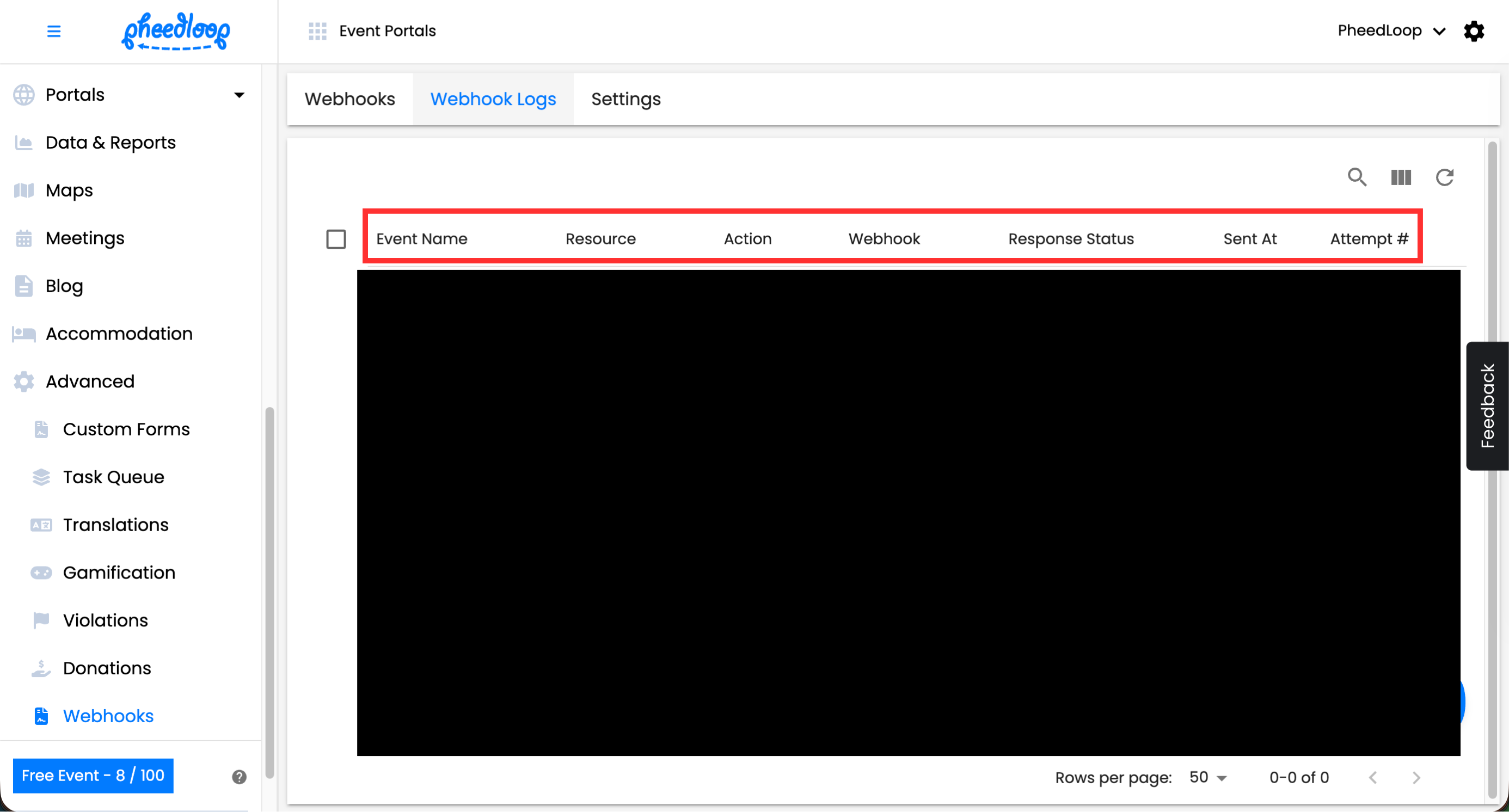
This log shows every webhook delivery attempt and its outcome. A 200 response indicates the webhook was delivered successfully. A 400-level response usually points to a configuration issue on the receiving endpoint, such as an incorrect or misspelled URL. A 500-level response indicates an error on the receiving server and is not related to PheedLoop.
Quick Reference
Below is a table, summarizing the different parameters for failure notifications and disabled webhooks.
| Setting | Value |
|---|---|
| Failure threshold | 10 failures |
| Time window for counting failures | 30 minutes |
| Time between notification and disabling | 30 minutes |
| Max retries per webhook delivery | 5 attempts |
| Request timeout | 10 seconds |
| Log retention | 90 days |