How can I re-send registration confirmation emails from the Event Dashboard?
Registration confirmation emails can be resent from the Event Dashboard. You can notify one or multiple orders at once. Emails are sent to all registrants within the order, including the account holder who created the order and all email addresses assigned to tickets.
- From the Event Dashboard, navigate to Registration > Orders
- Select the order you wish to notify from the list
-
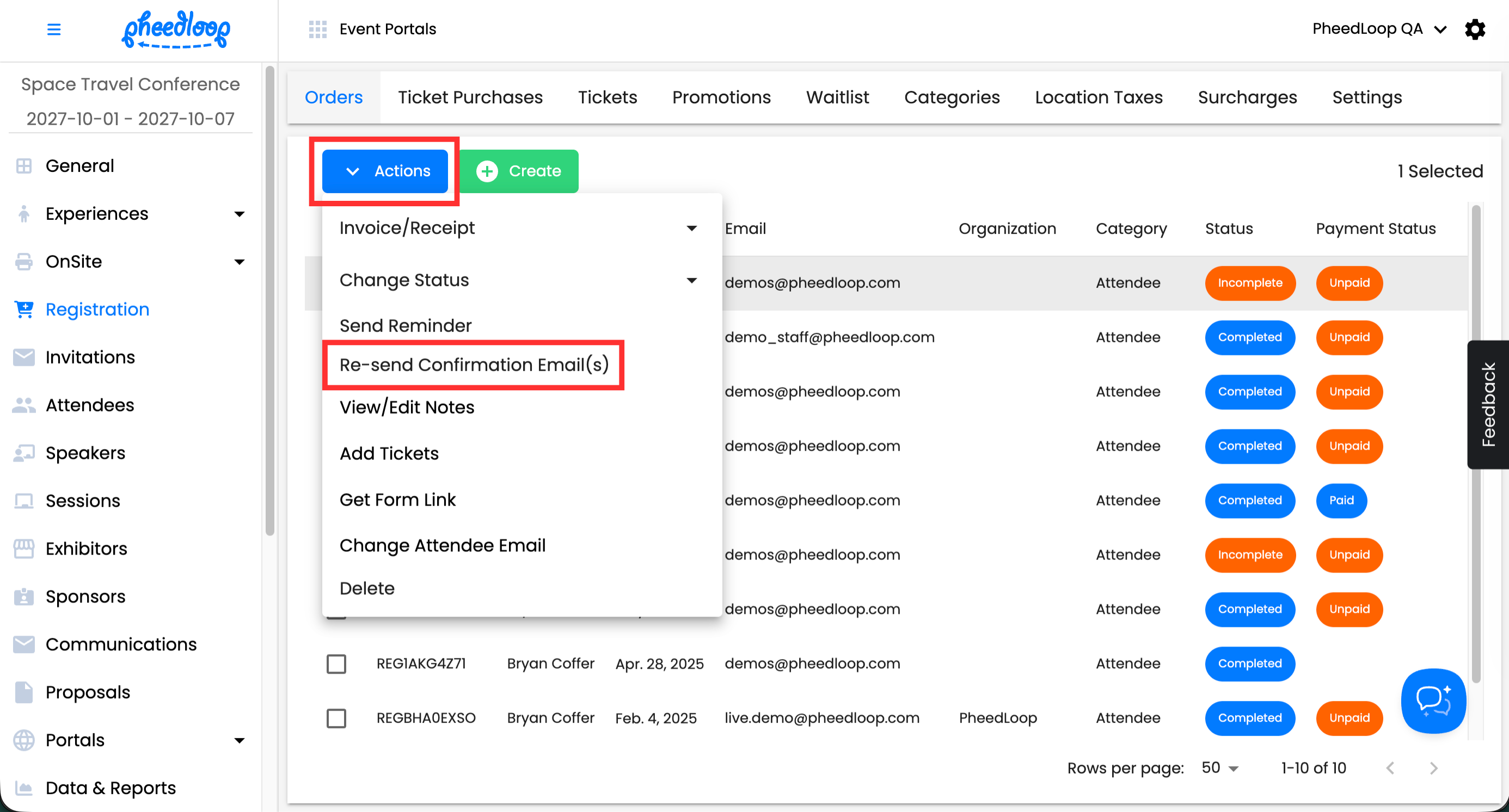
Above the Orders table, select Actions > Re-send Confirmation Email(s)
-
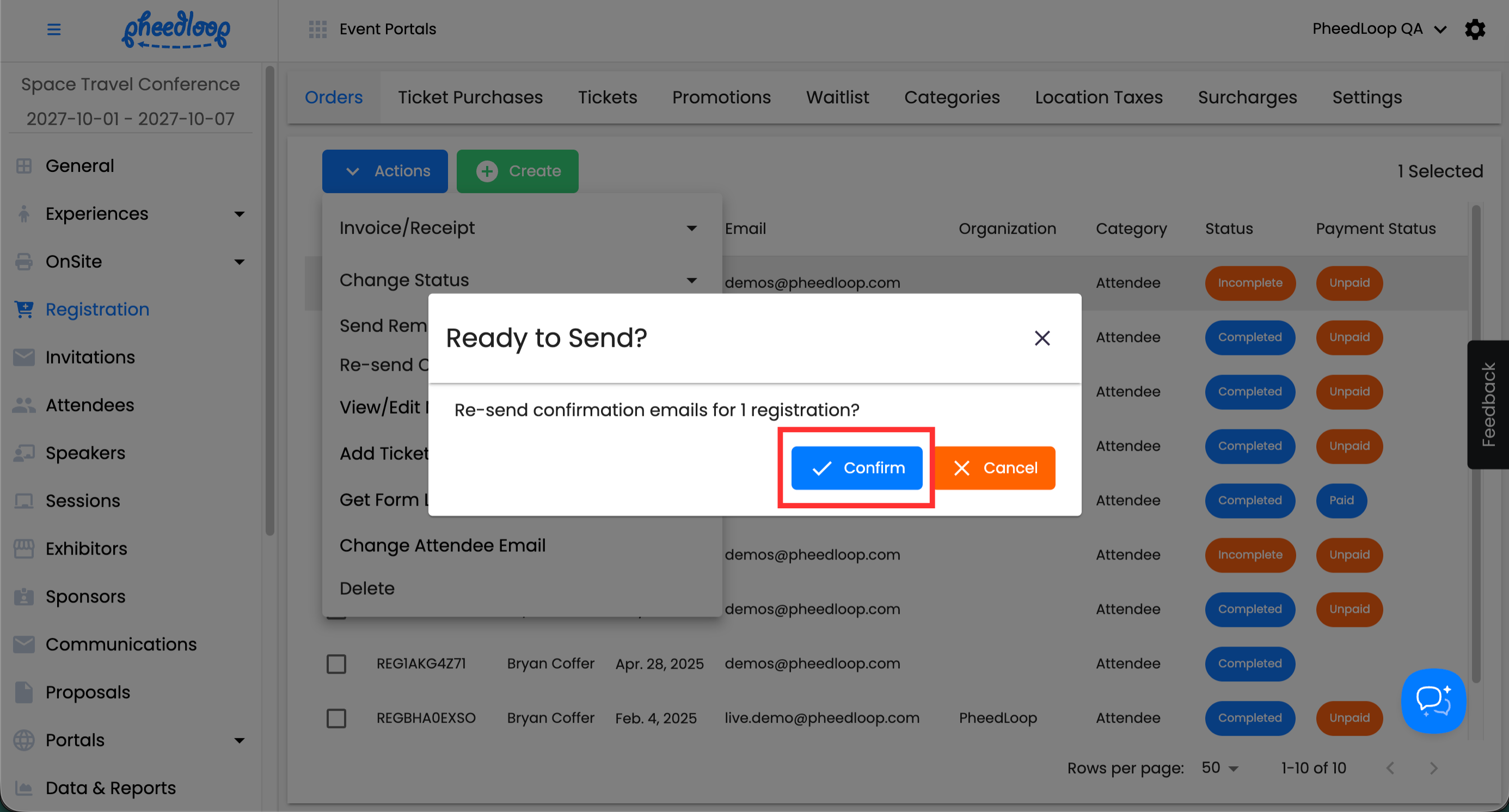
Select Confirm
For more information on confirmation emails, please refer to our How can I customize individual ticket confirmation emails? article.