Setting Up Reviews without Showing Revealing Identifying Information appearing
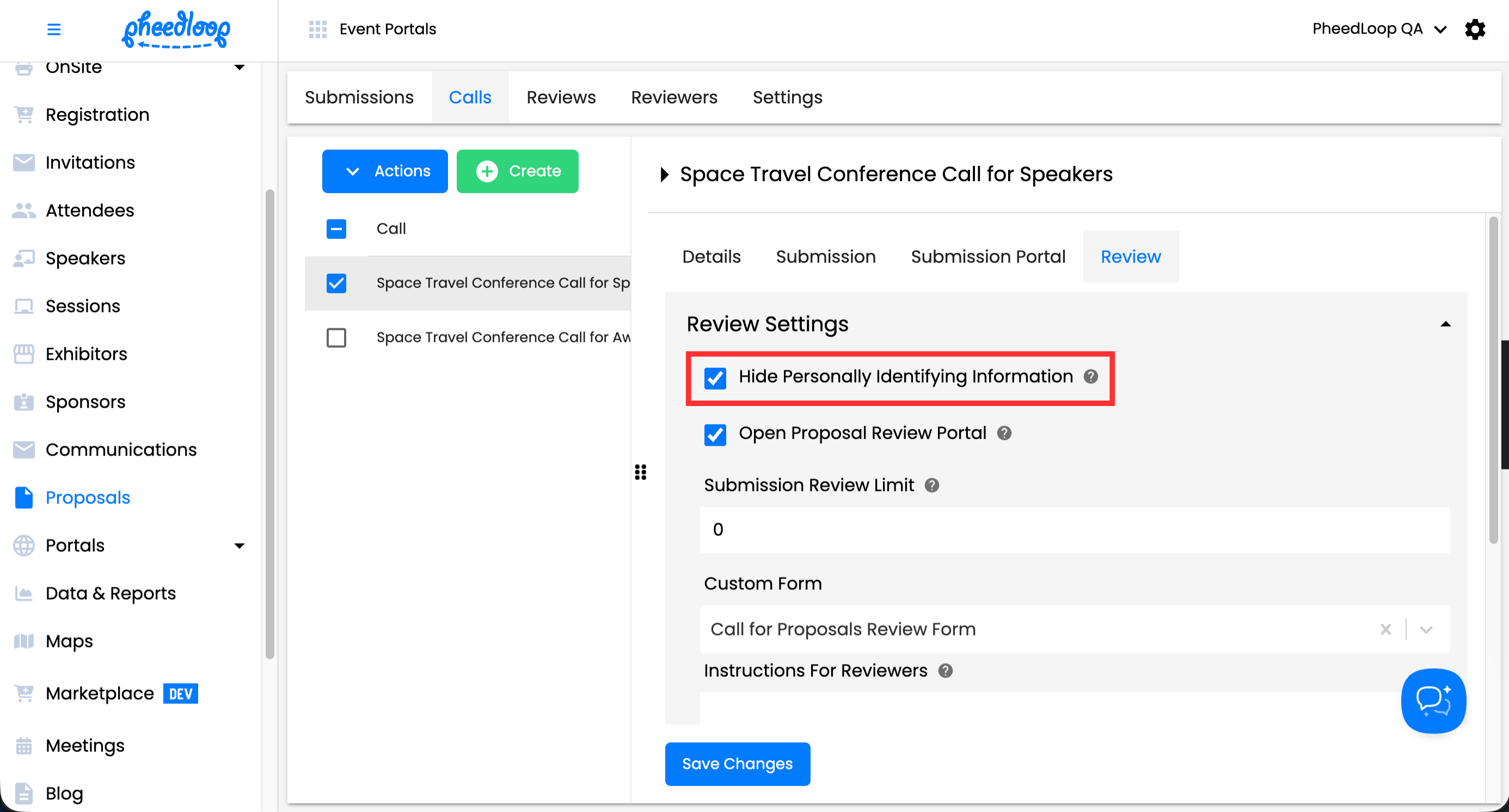
If your reviewers should not see any personal information about submitters, you can enable a blind review process using the Hide Personally Identifying Information setting in PheedLoop.
When this setting is enabled, all default personally identifying fields are hidden from reviewers during the review process. This includes fields such as the submitter’s name, email address, and personal website.
Please note that toggling this setting on will hide the default personally identifying fields during the submission process (i.e., name, email address, personal website, etc.). Any personally identifying information that submitters add to other areas of their submission (i.e., Session details, attachments, etc.) will not be hidden.
Enable a Blind Review Process
To enable a "blind" review process, please follow the steps below:
- From the Event Dashboard, navigate to Proposals > Calls
- Select your desired Call from the list
- Navigate to the Review tab
- Toggle on the Hide Personally Identifying Information checkbox
-
Select Save Changes